
Z Anti-Aliasing: The Clever Slicer Trick That Makes 3D Prints Smoother
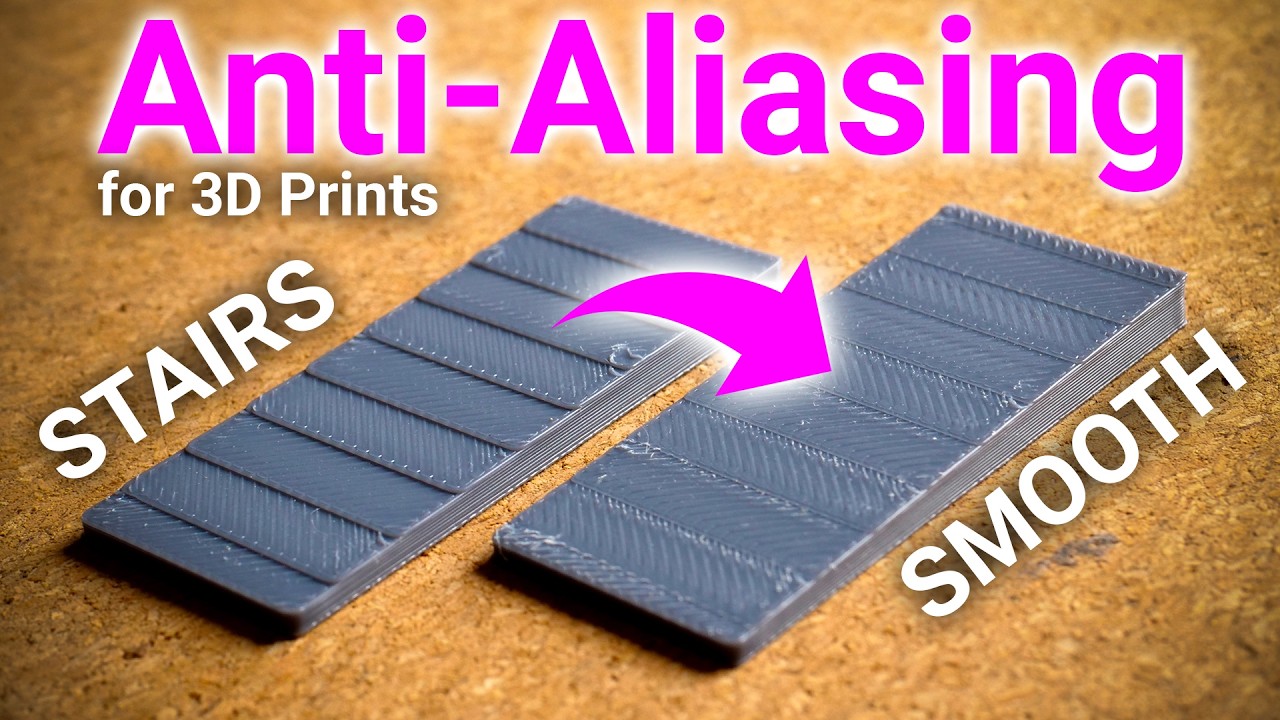
You know that stair-stepping effect on your 3D prints? The one that makes sloped surfaces feel like tiny staircases under your fingertip? There’s a new technique that dramatically reduces it – and it doesn’t require any hardware modifications.
It’s called Z Anti-Aliasing (ZAA), and it’s basically the 3D printing equivalent of the anti-aliasing you know from video games.
The Problem: We’re Not Really 3D Printing
Here’s a mind-bending thought: most “3D prints” are actually 2.5D prints.
Think about it. Your printer lays down a flat layer, moves up, lays down another flat layer, moves up again. It’s stacking 2D slices to approximate a 3D shape. That’s why we call the software a “slicer” – it literally cuts your model into thin slices.
This approach is mathematically simple and avoids collisions (the printhead always moves above the highest point), but it creates those visible stair steps on any surface that isn’t perfectly horizontal or vertical.
The Solution: Borrow from Graphics
In video games, anti-aliasing smooths jagged diagonal lines by blending pixels at the edges. Z Anti-Aliasing applies the same concept to 3D printing – but instead of blending pixels in X and Y, it makes tiny height adjustments in Z.
The part is still sliced into layers, but the top surface isn’t forced to be perfectly flat at each step. Instead, it gently follows the actual geometry of the model.
The clever part? ZAA only affects top surfaces. Most of the print isn’t touched at all. And because the height adjustments are small, you avoid the collision problems that plague other non-planar printing approaches.
The Results Are Measurable
Stefan from CNC Kitchen tested this with a surface roughness tester. The numbers are impressive:
- 5° slope: Conventional ~80 microns vs ZAA ~25 microns (3x smoother)
- A 0.2mm layer print with ZAA is as smooth as a conventional 0.1mm print
- 50% faster print times are realistic for some parts
The biggest improvement is on shallow slopes – exactly where stair-stepping is normally most visible.
Why This Matters for Makers
Less Post-Processing: If you’ve ever sanded and filled a 3D printed part, you know the pain of shallow slopes. After two rounds of filler and sanding, the conventional print only reached the smoothness level that the ZAA print had straight off the printer.
Faster Prints: You can potentially print at 3x the layer height while maintaining smooth top surfaces.
No Hardware Changes: Unlike other non-planar approaches, ZAA works with your existing printer. Pure slicer magic.
Watch the Full Video
Stefan’s video goes deep into the technical details, including the measurement methodology and remaining challenges. Highly recommended!
🎬 CNC Kitchen – Z Anti-Aliasing video
Another example of why following channels like CNC Kitchen pays off. The best maker knowledge often comes from people who measure things carefully and explain what they find.
See you at the makerspace.
Recent Comments